OpenAI, Anthropic and Gemini
Overview
Kommunicate lets you create an AI agent using OpenAI, Anthropic, or Gemini. The setup flow is the same for all three platforms: select the provider, create the agent profile, configure the model settings, and train the agent with intents or knowledge sources.
Integration
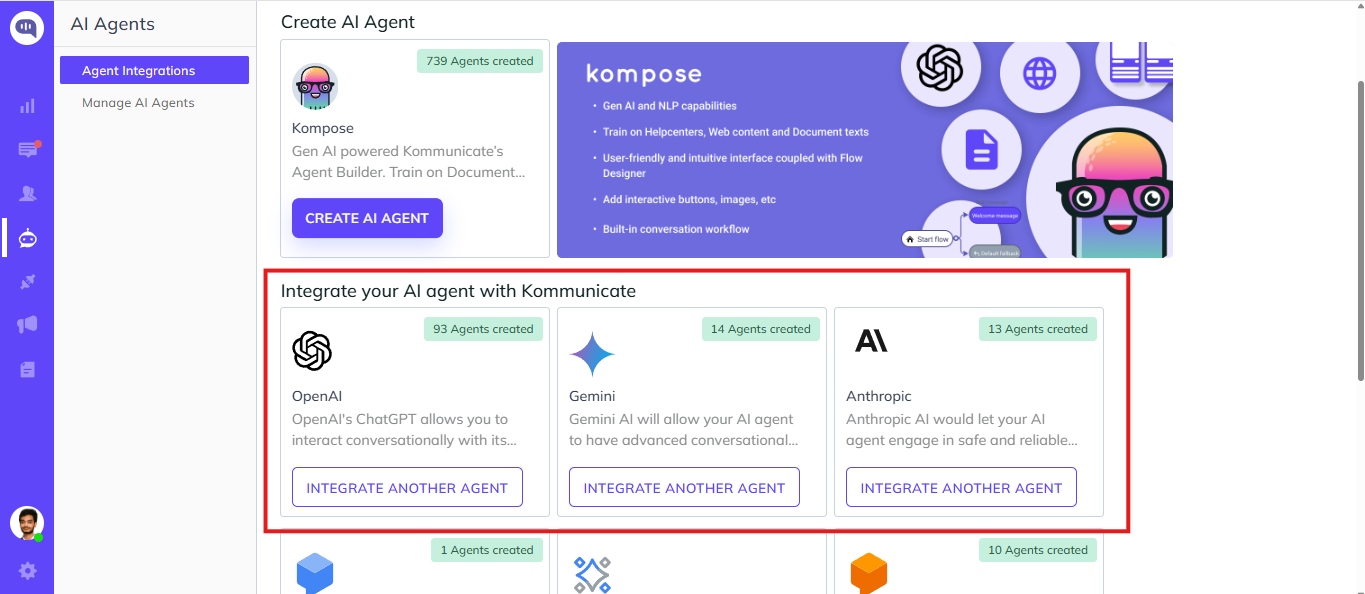
- Navigate to the AI Integrations page.
- Select the AI platform you want to integrate with: OpenAI, Anthropic, or Gemini.
- Follow the on-screen flow to create the AI agent.
After the platform is selected, Kommunicate creates the AI agent and takes you to the agent configuration flow.
Agent profile
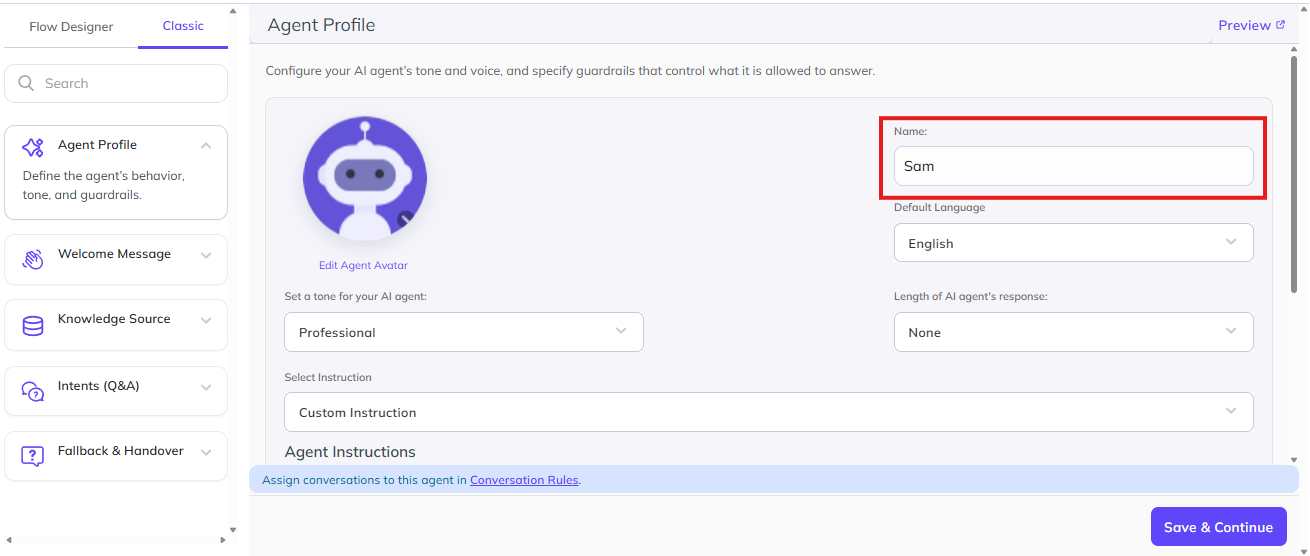
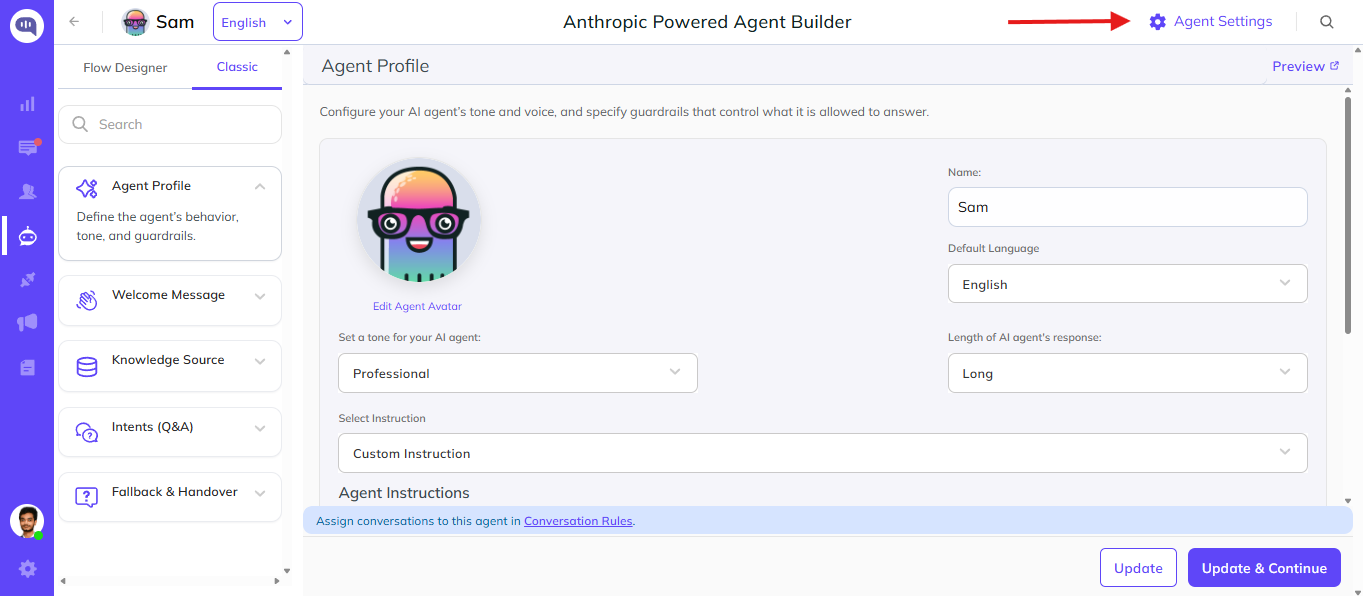
After the AI agent is created, complete the agent profile.
- Add a name for the AI agent.
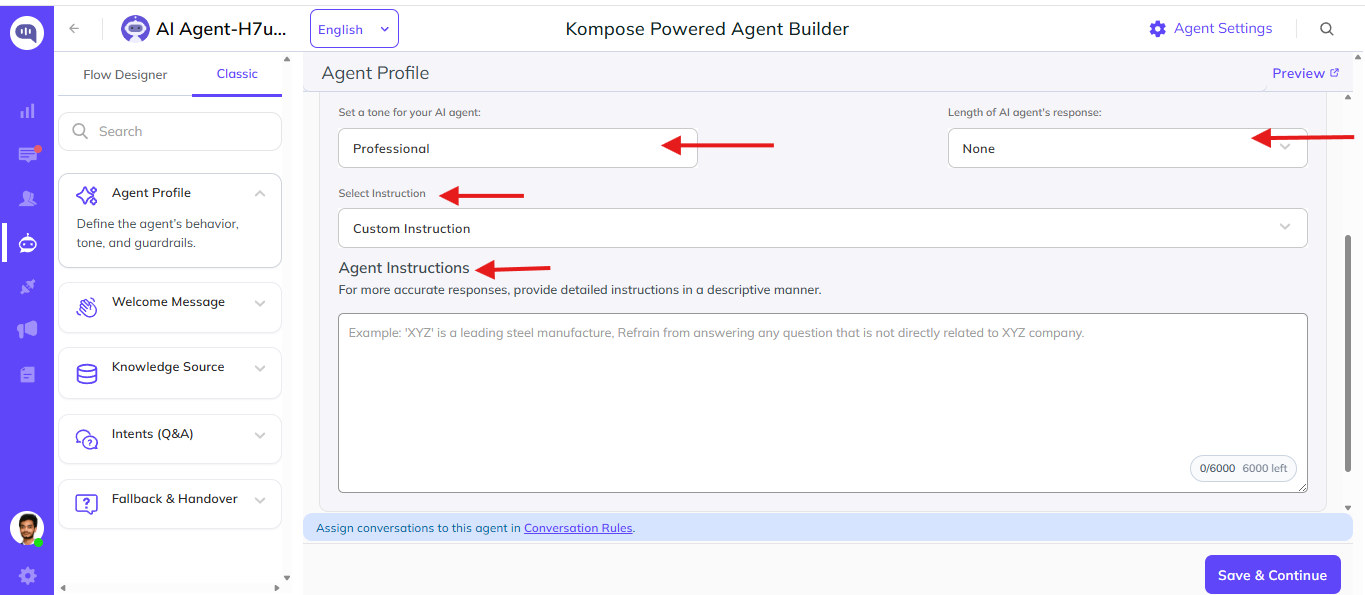
- Select the agent tone: Professional, Casual, or Friendly.
- Set the preferred response length.
- Add custom instructions for how the agent should respond.
These profile settings work the same way regardless of whether you selected OpenAI, Anthropic, or Gemini.
You can also choose from the predefined instructions and customize them based on your use case.
Model settings
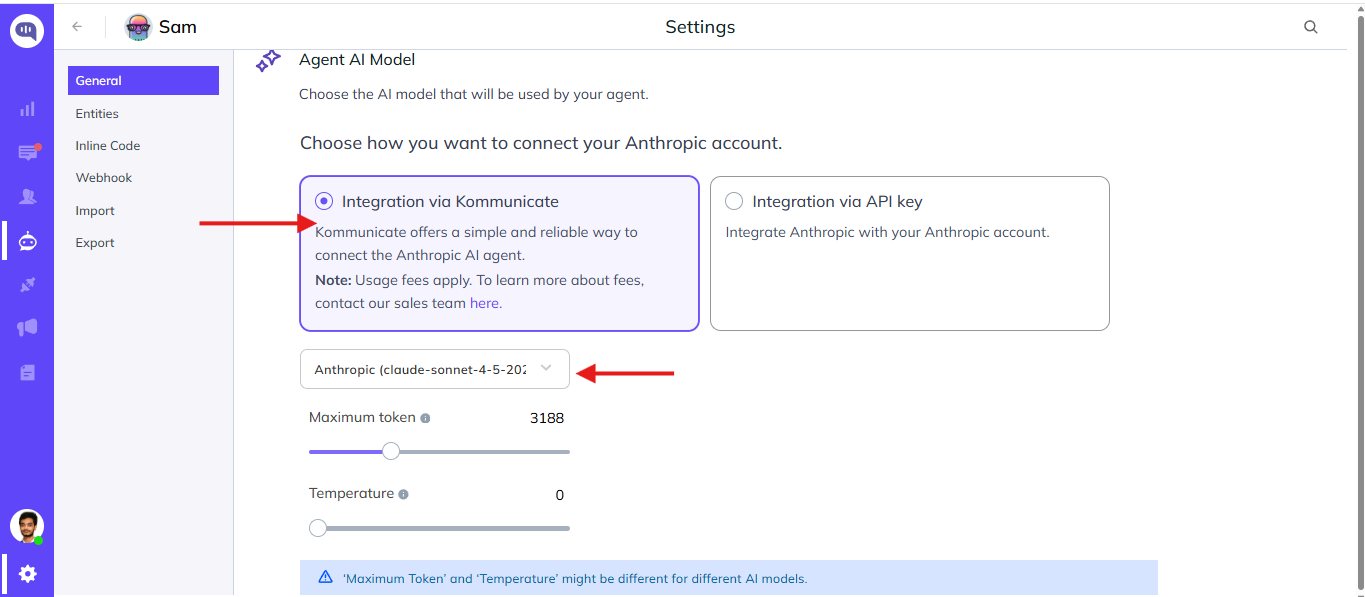
You can update the model configuration from Agent Settings.
- Model: Select the provider model that should power the AI agent.
- Temperature: Controls how deterministic or creative the responses are. Lower values make responses more consistent, while higher values allow more variation.
- Maximum tokens: Sets the maximum length of the generated response.
Integration via API key
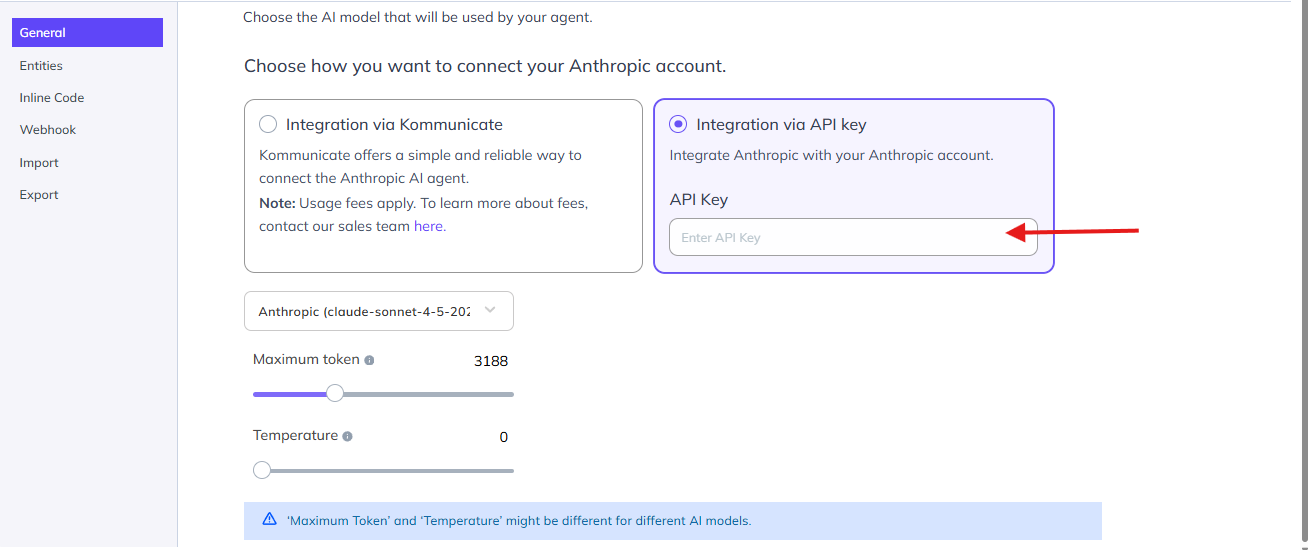
By default, the AI agent uses the selected platform integration available in Kommunicate. If you want to use your own provider account, select Integration via API Key and enter the API key for the selected provider.
Use this option when you want the agent requests to run through your own OpenAI, Anthropic, or Gemini account.
Training
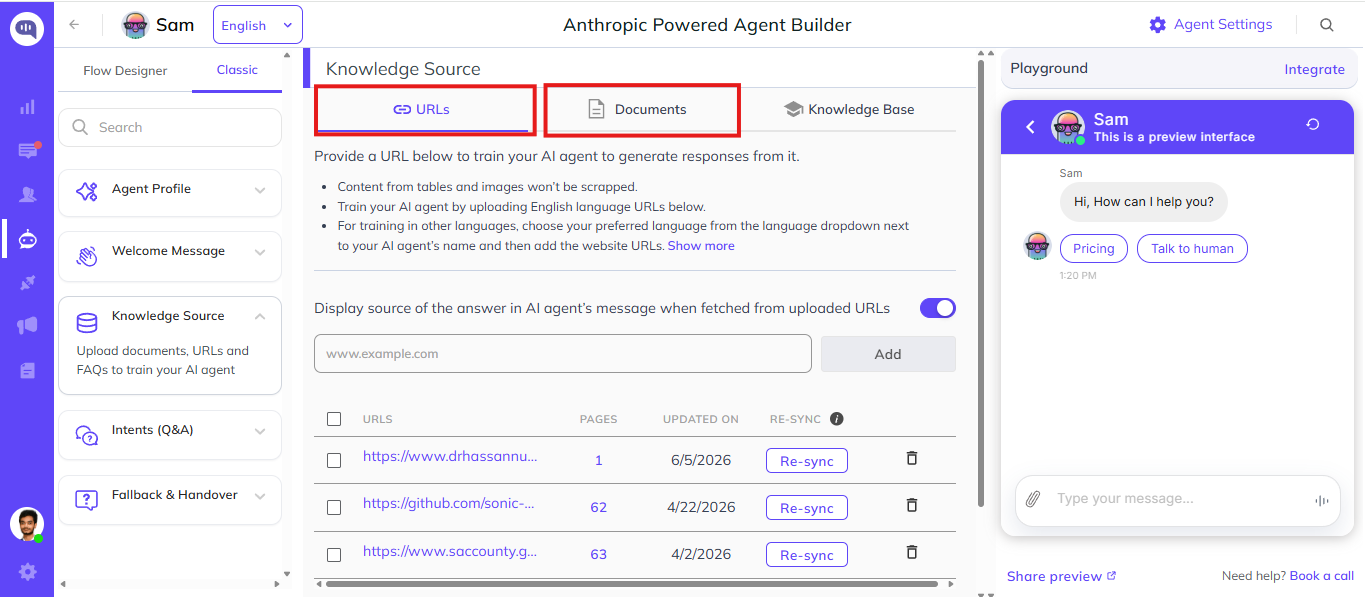
You can train the AI agent using Intents and Knowledge Sources.
- Use Intents when you want to design controlled conversation flows, add rich messages, or return dynamic responses using Inline code and webhooks.
- Use Knowledge Sources when you want the agent to answer questions from URLs or uploaded documents.
After adding training data, test the AI agent from the dashboard to verify that it responds as expected before using it in live conversations.